
Table des matières
Sort the gamelist.xml on different criteria
In Retropie (since 2018) and Batocera (since v43 in 2026), it is possible to sort the gamelist.xml using the <sortname> tag.
ARRM offers a database sorting module based on 5 possible criteria.
When a sort is applied to the database, upon saving the gamelist.xml, ARRM will create the <sortname> tag with an index (example: <sortname>002 =- City Defender</sortname>) thus allowing the sorted gamelist.xml to be displayed in EmulationStation.
Procedure
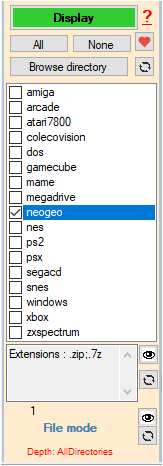
- Select the system (only one) then click on Display
When the Database is filled with the found Roms,
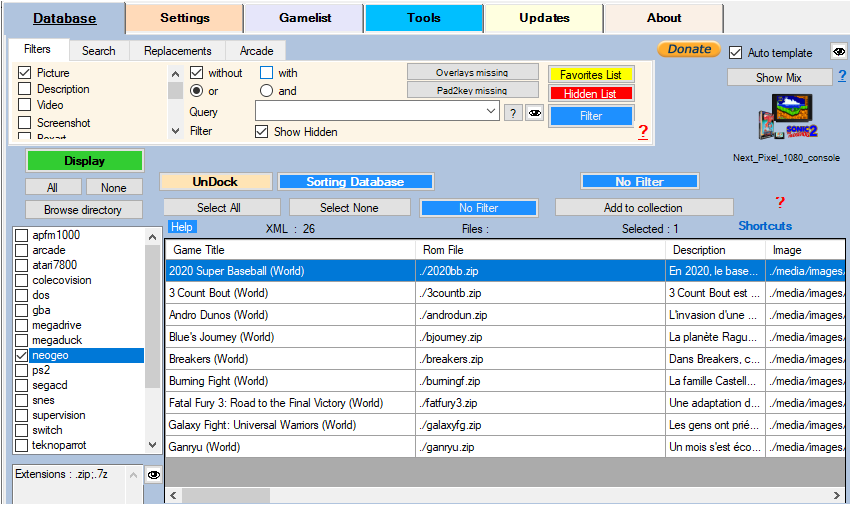
- Click on the button 'Sorting the database'
A form opens where you can select your sorting criteria.
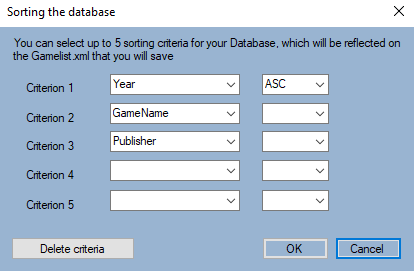
Click on 'OK' to validate the criteria or 'Delete Criteria' to delete them.
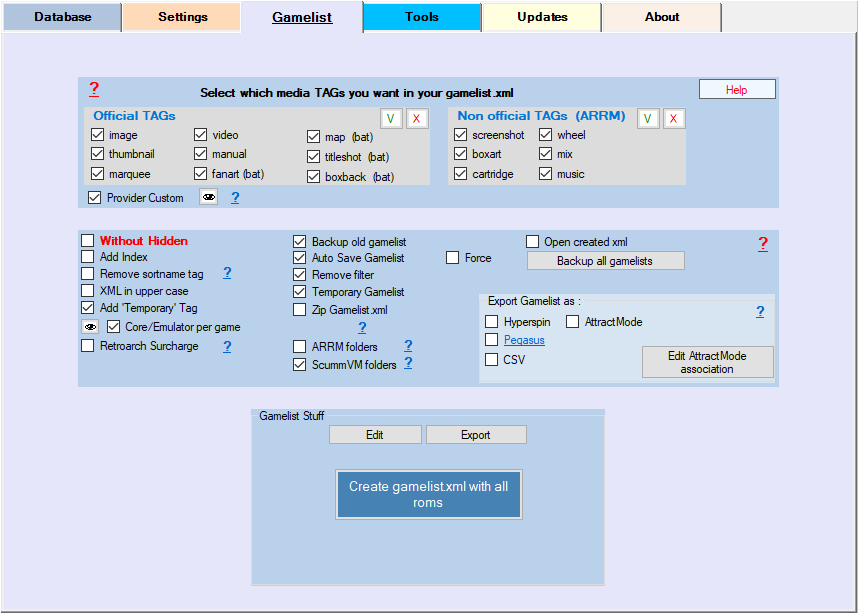
- Save your gamelist.xml by clicking on 'Create gamelist.xml'
Your gamelist.xml will then have a new <sortname> tag like in the example below:
 <game>
   <path>./Berzerk.bin</path>
    <name>Berzerk</name>
    <sortname>022 =- Berzerk</sortname>
    <desc>Berzerk is a video game developed by Stern Electronics, released in 1980 on an arcade terminal. The player controls a humanoid in labyrinthine multi-picture environments viewed from above. He must progress by eliminating an army of belligerent robots. It is a precursor to run and gun, which notably influenced the design of Robotron: 2084. The game presents innovative gameplay features (including multi-directional shooting) and production with synthetic voices.</desc>
    <rating>0.8</rating>
    <releasedate>20020101T000000</releasedate>
    <developer>Stern Electronics, Inc.</developer>
    <publisher>AtariAge</publisher>
    <genre>action</genre>
    <players>1-2</players>
    <image>./downloaded_images/Berzerk_screenscraper_mix_arrm.png</image>
    <thumbnail>./downloaded_images/Berzerk_screenscraper_boxart_arrm.png</thumbnail>
    <marquee>./downloaded_images/Berzerk_screenscraper_wheel_arrm.png</marquee>
    <video>./videos/Berzerk_screenscraper_video_arrm.mp4</video>
    <playcount>0</playcount>
  </game>
Incorrect display of game lists in Batocera v43
If you have an anterior version, please follow the tutorial below
Batocera introduced the <sortname> tag in its game lists starting with version V43 (January 2026)\
ARRM has been using this tag since November 2018, as Retropie was the only one using it at the time.\
This tag allows you to change the display order of the game list in the interface.
You may encounter display problems with your game lists in Batocera if you have applied a sort to your ARRM database other than by title.
Solutions with ARRM ⇐ 2.0.3.7 :
- Uncheck the Sortname box in the Gamelist tab, under the Select which textual TAGs you want in your gamelist.xml panel or check Remove sortname Tag in the Gamelist tab (<sortname> tag will be removed from the gamelist.xml) then save your gamelist
- Edit the file** %appdata%\Nexouille Soft\arrm\Database\gamelist_arrm_tags.txt** and delete the line: sortname
- Uncheck the Sortname checkbox in the Gamelist tab, under the Select the text tags you want in your gamelist.xml panel